Write Better English — Easily, Clearly, and Confidently
1. What is Grammarly? (The Simple Version)
Think of Grammarly as a smart writing friend who sits next to you while you type.
Whenever you make a spelling mistake, forget a comma, or use a word that sounds a bit “off,” Grammarly gently points it out. It doesn’t just fix the mistake for you; it explains why it was a mistake so you can learn and become a better writer over time.
Whether you are writing a homework assignment, a business email, or a post on Facebook, Grammarly works in the background to make sure your message is clear and easy to read.
2. How Grammarly Uses AI (Smart Technology)
Grammarly uses something called Artificial Intelligence (AI). But don’t let the big words scare you!
In simple English, AI means the computer has “learned” by reading millions of sentences. It understands the rules of English better than most people.
- It recognizes the Context: It knows the difference between “Their,” “There,” and “They’re” based on the words around them.
- It feels the Tone: It can tell if your email sounds “friendly,” “angry,” or “formal.”
- It offers Generative Help: In 2025, Grammarly can even help you start writing by giving you ideas or drafting a quick reply to an email.
3. Key Features of Grammarly Tools
Grammarly is packed with tools that go far beyond a simple spell-checker.
- Grammar & Spelling: The “bread and butter” of the tool. It catches typos and grammar slips in real time.
- Clarity Rewrites: If you write a sentence that is too long or confusing, Grammarly suggests a shorter, clearer way to say it.
- Tone Detector: An emoji-based system that tells you how your writing might sound to the person reading it.
- Plagiarism Checker: This tool scans billions of web pages to make sure your work is 100% original. (Available in Pro version).
- AI Writing Assistant: You can ask Grammarly to “Make this sound more professional” or “Write a 5-sentence summary,” and it does it in seconds.
4. Step-by-Step Guide: How to Use Grammarly
Using Grammarly is as easy as 1-2-3. Here is how you get started:
Step 1: Create a Free Account
Go to Grammarly.com and sign up with your email. You can also use your Google or Facebook account to log in instantly.
Step 2: Choose Where to Use It
You don’t have to go to a special website to use Grammarly. You can add it to the places you already write:
- Browser Extension: Add it to Chrome, Safari, or Edge.
- Desktop App: Download it for Windows or Mac to help with Word and Outlook.
- Mobile App: Install the Grammarly Keyboard on your iPhone or Android.
Step 3: Look for the “Underlines”
As you type, you will see colored lines under your words:
- Red: Spelling or Grammar mistakes.
- Blue: Suggestions to make your writing clearer.
- Purple/Green: Suggestions for tone and style.
Step 4: Click and Fix
Simply hover your mouse over the underlined word. A small box will pop up with the correction. Click the green “Accept” button, and your text is fixed instantly!
For Beginners: “How to Use Grammarly AI (Full Tutorial)”
Channel: The World of AI
If you are not very “tech-savvy” or are setting this up for a student or a senior, start here. This video avoids technical jargon and uses very simple English to walk you through the setup process.
Key Takeaway: You don’t need to be an expert to use AI; it’s as simple as clicking a button.
What you’ll learn: A slow, clear walkthrough of how to install the extension on Google Chrome, how to use the desktop app for Microsoft Word, and how to click on the “floating G icon” to fix errors. It also covers the Generative AI features, showing how to ask the tool to “Write a polite reply” or “Make this shorter.”
5. Pros and Cons Table
| Pros (The Good) | Cons (The Bad) |
| Very Easy to Use: No tech skills needed. | Internet Required: Most features need Wi-Fi. |
| Works Everywhere: Works on Gmail, Word, Slack, etc. | English Only: Does not support other languages yet. |
| Free Version: The free version is actually very useful. | Premium Price: The Pro version can be expensive. |
| Explains Mistakes: Helps you learn while you work. | Occasional Errors: AI isn’t 100% perfect every time. |
6. Pricing and Plans for 2025
Grammarly has simplified its plans to fit different budgets.
| Plan | Cost (Annual Billing) | Best For |
| Free | $0 / month | Students and casual writers. |
| Pro | ~$12 / month | Professionals, authors, and serious students. |
| Enterprise | Custom Pricing | Large companies and teams. |
What do you get with “Pro”? You unlock the Plagiarism Checker, full-sentence rewrites, and 2,000 monthly AI prompts to help you write faster.
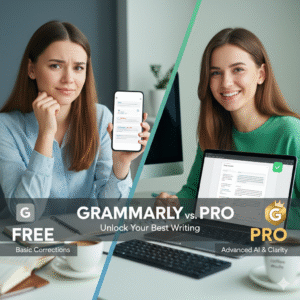
Comparing Free vs. Pro: “Grammarly Free vs Premium”
Channel: Bryan Collins (Become a Writer Today)
Bryan is a professional author and writing coach, so his review focuses on the Value for Money. This is the video to watch if you are debating whether the paid version is worth the monthly cost.
- What you’ll learn: Bryan does a side-by-side comparison. He shows that while the Free version is great for catching typos, the Pro version is necessary for “deep edits”—like fixing passive voice, checking for plagiarism, and using the new Citation Finder for academic papers.
- Key Takeaway: If you write for a living or are in university, the time saved by the Pro version pays for itself. If you only write casual emails, the Free version is more than enough.
7. Expert Reviews & Star Ratings
How does the world rate Grammarly? Here are the scores from the top technology review sites:
- G2 Crowd: ⭐⭐⭐⭐⭐ (4.7/5) – “The gold standard for writing assistants.”
- Capterra: ⭐⭐⭐⭐⭐ (4.8/5) – “Incredibly easy to integrate into daily work.”
- Trustpilot: ⭐⭐⭐⭐ (4.2/5) – “Great tool, though the subscription can be pricey.”
- Apple App Store: ⭐⭐⭐⭐⭐ (4.6/5) – “Makes texting and emailing on the go stress-free.”
8. For a Full Overview: “Grammarly Review (2025) – All You Need To Know!”
Channel: Review Radar Official
This video is the best “all-in-one” guide for the current year. Since Grammarly recently underwent a major redesign (moving toward what they call “Agentic AI”), this video is essential for understanding the new AI Agents.
Key Takeaway: Grammarly is no longer just a “spell checker”; it is now a collaborative partner that understands the specific context of your work.
What you’ll learn: The reviewer demonstrates the 8 new specialized agents, such as the Reader Reactions agent (which predicts how your boss or teacher will feel about your writing) and the Expert Review agent (which gives feedback based on professional standards).
Ready to Try It?
Click the button below to visit the official site and start writing better today!