Hello there, job seeker, career changer, and professional looking for a fresh start!
In today’s crowded job market, your resume faces two major hurdles before it even reaches a human recruiter:
- The ATS Wall: Over 99% of Fortune 500 companies use Applicant Tracking Systems (ATS)—robot software that scans your resume for keywords and formatting. If your resume isn’t perfectly structured, the ATS rejects it, and a human never sees it.
- The Blank Page Fear: You know your achievements, but summarizing them in professional, impact-focused, and keyword-rich language is incredibly difficult.
Staring at a blank page or worrying about whether your layout will confuse the robot scanner is stressful. What if an AI tool could guarantee your resume is ATS-friendly and write your best bullet points for you?
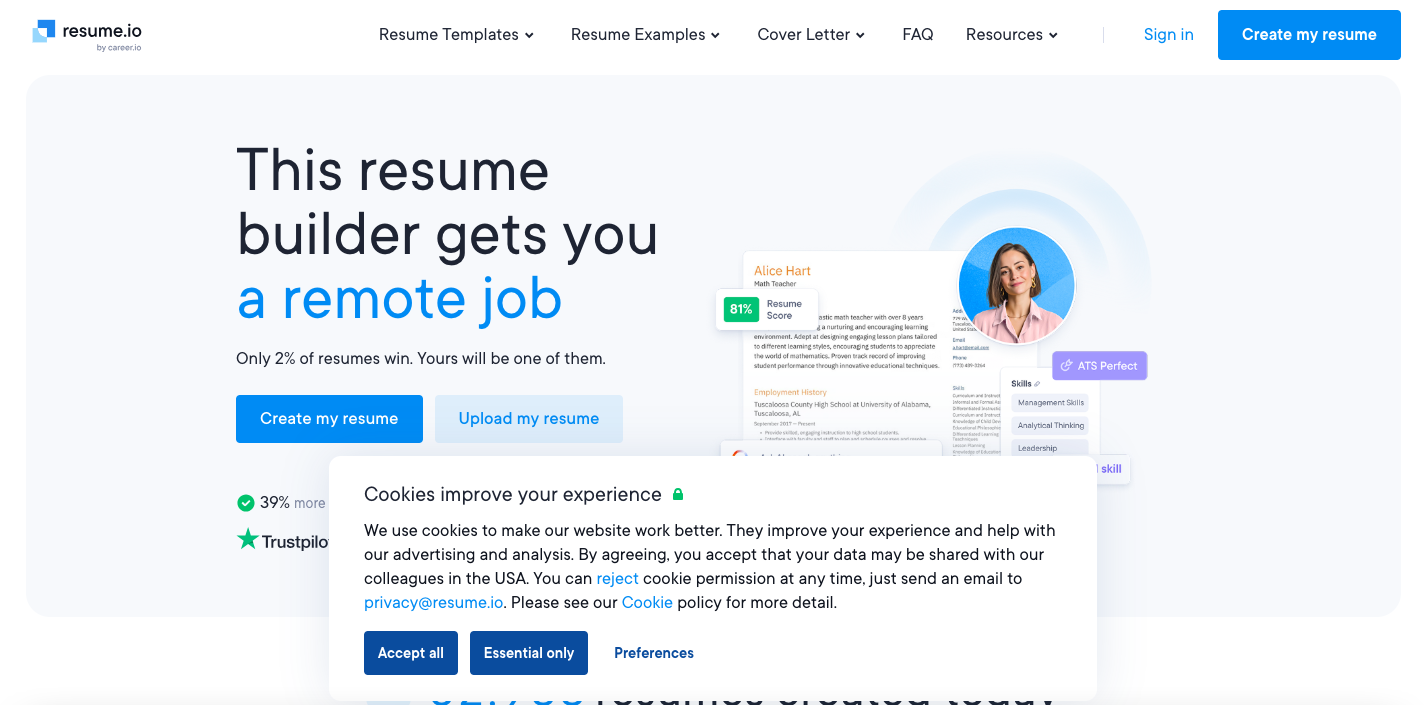
Welcome to Resume.io, a leading AI Resume Builder that combines professional, recruiter-approved templates with advanced AI writing and job-tracking tools to streamline your entire job search.
Ready to build a resume that bypasses the robots and lands you the interview? Let’s dive into the future of job applications!
1. The Resume Roadblock (ATS and Writer’s Block)
Landing an interview requires more than just having the right experience. It requires a perfectly crafted document that satisfies both robot and human readers:
- ATS (Applicant Tracking System) Filtering: This software is designed to filter out resumes that lack required keywords or use complex formatting (like tables or graphic elements). If your resume format is bad, the ATS rejects it—end of story.
- Quantifying Achievements: Most people write job descriptions (“I managed social media”), but recruiters want quantifiable achievements (“I increased social media engagement by 40%”). This conversion is mentally taxing.
- Tailoring: Every job application requires a slightly different resume tailored to the specific keywords in the job description. Doing this manually for dozens of applications is impossible.
Resume.io uses AI to automate the structure, language, and matching process, maximizing your chances of getting noticed.
2. What is Resume.io AI Builder? Your Career Co-Pilot
Resume.io is a leading online resume and cover letter builder used by millions of job seekers. It combines a clean, intuitive editor with specialized AI tools designed to meet the demands of the modern hiring process.
Resume.io’s Core Value:
It guarantees that your resume is structurally sound (ATS-friendly) while providing expert-written, high-impact content suggestions, turning your past duties into impressive achievements.
- Guided Creation: The builder guides you step-by-step through every section (Summary, Experience, Skills), ensuring no critical component is missed.
- AI-Powered Content: Instead of staring at a blank page, you click your job title and let the AI suggest dozens of professionally written bullet points that focus on action verbs and quantifiable results.
- Full Suite: It’s more than just a resume builder; the platform includes a Cover Letter Builder, an Interview Simulator, and a Job Tracker to manage the entire application process.
3. The Simple Science: How AI Resume Builders Work
AI resume builders leverage advanced machine learning models trained on millions of successful resumes and job descriptions.
The Core Engine: ATS Optimization and Keyword Matching
- Template Structure: All templates on Resume.io are rigorously tested to ensure they are ATS-friendly. This means the structure is simple (no confusing tables or visuals) and the text is easily parsable by the robot scanners.
- Keyword Matching: When you paste a job description, the AI analyzes the text, identifies the high-value keywords, skills, and phrases, and prompts you to include them in your resume to increase your ATS match score.
AI Step 1: Content Suggestion (The Expert Phrases)
This is where the AI beats writer’s block:
- Role Input: You select your past job title (e.g., “Digital Marketing Manager”).
- Database Query: The AI instantly queries its massive database of expert-written bullet points for that specific role.
- Impactful Output: It provides suggestions that replace weak language with powerful action verbs and quantifiable metrics (e.g., changing “Ran social media” to “Orchestrated social media strategy for 5+ product launches”). You click to insert or edit the suggestion.
AI Step 2: Interview Simulation (AI Practice)
The AI extends its role into the interview prep stage:
- Question Generation: The Interview Simulator uses generative AI to instantly create a list of likely interview questions based on your job title and industry.
- Practice and Feedback: You record your answers, and the AI provides real-time feedback on the quality, tone, and depth of your response, helping you practice until you’re confident.
4. Resume.io’s Core Superpowers: Tools for Job Seekers
Resume.io provides a complete, integrated workspace for managing your career search.
Superpower 1: ATS-Friendly Templates and Formatting
Choose from dozens of professional, visually appealing templates (Modern, Creative, Professional). The platform handles all the difficult formatting and ensures the final PDF output is optimized to pass automated ATS screening.
Superpower 2: Expert-Written Content Suggestions
Overcome writer’s block in the Experience and Summary sections with thousands of pre-written phrases and bullet points, instantly tailored to your specific role and industry.
Superpower 3: The Job Tracker Dashboard
A centralized hub where you can track every job application—the company, the position, the date applied, and the follow-up status. This organization is crucial for high-volume job seekers.
Superpower 4: AI Interview Simulator
Practice responding to customized interview questions for your target role. The AI provides constructive feedback on your answers and suggests ways to improve your delivery.
Superpower 5: Unlimited Customization and Downloads
On paid plans, you get unlimited resumes and cover letters and can download them instantly in multiple formats (PDF, DOCX, TXT), allowing you to tailor your application for every unique job posting.
5. Let’s Get Started! Step-by-Step Guide to Building Your Resume
Building a professional resume with Resume.io is a simple, guided process.
Step 1: Sign Up and Start Creation
- Visit Resume.io: Go to www.resume.io and click “Create My Resume.”
- Start Method: Choose how to begin: Start from Scratch or Upload Existing Resume (the AI will parse the content and structure it).
Step 2: Choose an ATS-Friendly Template
- Select Design: Browse the template gallery (Modern, Creative, Professional, Simple). Choose a template that is clean and visually reflects your industry (e.g., “Professional” for Finance, “Creative” for Design).
- Confirm: Click to select the template. (You can change this later at any time.)
Step 3: Input Your Role (The AI Prompt)
- Enter Details: Fill in your personal details and target job title.
- Summary: Click on the Summary/Objective section. The AI will suggest a personalized summary based on your industry. Edit the AI-generated text to include your most impressive numbers.
Step 4: Generate Work Experience Bullet Points
- Enter Role: Start adding a Work Experience section. Enter your past Job Title (e.g., “Product Manager”).
- AI Suggestions: Click the Content Suggestions button (or similar AI-assist icon). The AI will provide a long list of expert-written bullet points relevant to a Product Manager.
- Select & Quantify: Click to insert the bullet points that match your experience. Crucially, replace generic verbs with your actual achievements and numbers (e.g., change “Managed product launch” to “Successfully launched 3 major products, resulting in $5M in first-year revenue”).
Step 5: Complete and Fine-Tune Your Resume
- Skills and Education: Use the AI-generated suggestions to quickly populate the Skills section with high-impact, relevant keywords.
- Review Format: Use the ATS Checker feature (if available on your plan) to review the resume against common scanning standards.
- Matching Cover Letter: Use the Cover Letter Builder to generate a matching letter that automatically pulls your resume details and is tailored to the specific job title.
- Download: Once finalized, download the resume as a PDF.
6. Resume.io’s Hidden Features (Pro Tips & Time Savers)
These tools separate Resume.io from basic template builders, making the job search more efficient.
Hidden Feature 1: The Headshot Editor
- What it is: A built-in photo editor for your professional picture.
- Why it matters: Allows you to instantly remove a distracting background, ensuring your headshot looks clean, professional, and visually consistent with the template.
Hidden Feature 2: Voice Input for Content Entry
- What it is: The ability to speak your work history and achievements directly into the tool’s text boxes using your microphone.
- Why it matters: Great for busy users or those who find typing frustrating. You can quickly narrate your professional story, and the tool captures the content for the AI to refine.
Hidden Feature 3: Resume Critique Service
- What it is: A service, often included with the trial or premium plans, where real HR experts review your completed resume and provide personalized feedback on its effectiveness, tone, and content.
- Why it matters: Provides human-expert validation, ensuring your AI-optimized resume meets professional standards before you apply.
7. Pros and Cons of Resume.io
| Pros | Cons |
| ATS Optimization: Templates are rigorously tested and optimized to pass Applicant Tracking System scans. | Trial Auto-Renewal: The popular 7-day trial auto-renews into a recurring monthly charge unless manually canceled (a common industry complaint). |
| AI Content Suggestions: Overcomes writer’s block with expert-written, high-impact bullet points and summaries. | Limited Free Plan: The free option is highly restrictive (usually only a TXT download of one resume) and does not include the best templates or features. |
| All-in-One Job Suite: Includes Resume Builder, Cover Letter Builder, Interview Simulator, and Job Tracker. | Visual Customization Limits: While professional, the design options are limited compared to dedicated graphic design tools (designed this way to ensure ATS compliance). |
| User Experience (UX): Simple, guided, step-by-step interface is perfect for beginners and eliminates formatting errors. | Pricing Structure: Requires a commitment to a subscription to access basic features like PDF downloads and template switching. |
Export to Sheets
8. Who is Resume.io For? (The Audience)
Resume.io is the ideal tool for any job seeker prioritizing speed, quality, and ATS compliance.
- Career Starters/Students: Those who have little work history and need expert content suggestions to fill out their resume with relevant keywords.
- Mid-Career Professionals: Users who need to quickly tailor their resume to dozens of job descriptions without starting from scratch every time.
- Job Seekers in High-Volume Industries: Professionals in tech, finance, and large corporate environments where passing the ATS filter is the first and biggest hurdle.
9. Features and Pricing (The Final Facts)
Resume.io primarily uses a short-term trial model that grants full access to premium features, which then converts into a subscription.
Key Features Summary
| Feature | Free Plan | 7-Day Trial / Premium Plans |
| ATS Optimized Templates | Limited (Basic) | ✅ Unlimited Access (30+ Designs) |
| AI Content Suggestions | Limited | ✅ Full Library Access |
| Cover Letter Builder | ❌ | ✅ |
| Interview Simulator | ❌ | ✅ |
| Job Tracker Dashboard | ❌ | ✅ |
| Download Format | TXT (Plain Text) | PDF, DOCX, TXT |
| Resume Critique | ❌ | ✅ (Included in some plans) |
Export to Sheets
Resume.io Pricing Plans (Approximate 2025 Subscription Rates)
| Plan | Cost (Approximate) | Duration | Access & Features |
| Free | $0 | Unlimited | Basic resume creation, TXT download only. |
| 7-Day Trial | ~$2.95 (One-Time) | 7 Days | Full access to all premium features and unlimited downloads. (Auto-renews to monthly if not canceled). |
| 6-Month Access | ~$44.95 (One-Time) | 6 Months | Unlimited premium access, non-recurring charge. |
| Annual Access | ~$74.95 (One-Time) | 1 Year | Best value; provides year-long access to all features. |
Export to Sheets
10. User Reviews & Star Ratings (What the Community Says)
Resume.io is highly rated for its simplicity and the quality of its templates, but users often caution about the trial’s auto-renewal policy.
| Review Website | Star Rating (Out of 5) | Total Reviews | Key User Praise Points |
| Trustpilot | 4.5 / 5 | 53,000+ | Top Pro: High volume of positive reviews praising the ease of use and professional templates. |
| G2 | 4.2 / 5 | 10+ | Noted for being extremely user-friendly and reliable for quick resume creation. |
| LiveCareer | 4.5 / 5 | 10+ | Praised for the AI content suggestions and the integrated job search tools (Job Tracker, Interview Simulator). |
Export to Sheets
User Consensus: The platform is celebrated as an easy-to-use, professional solution that saves hours of manual formatting. The biggest strength is the ATS-friendly design and the AI-suggested content that helps users quantify their achievements. The main consumer complaint is centered on the auto-renewal of the 7-day trial, which users must actively cancel.
Time to Land Your Next Job!
Stop letting the ATS bots filter you out. Resume.io gives you the AI tools to craft a perfectly structured, professionally written, and interview-winning resume in minutes.
Visit Resume.io and Start Your Job-Winning Resume!